Welcome! 👋
Sympa's Help Centre has received a major facelift and we are happy you have found your way here! Our new Help Centre is designed to make it easier for you to find answers, learn about our products, and get help when you need it — all in one place.
In this article:
What’s new in our Help Centre?
We’ve made several improvements to help you get the most out of Sympa:
Faster and easier to use – clearer structure, improved navigation, and better-organised categories help you find what you need quickly.
Stay up to date with Sympa – product news, upcoming features, and training materials are now front and centre.
Smarter, AI-powered search – ask natural-language questions and get more relevant results from Help Centre content.
More flexible and accessible – switch Help Centre languages front the bottom right corner and navigate content more intuitively.
▶️ Watch the video below to see a quick walkthrough of the new Help Centre, including how to navigate it and what’s changed.
💬 Need help right away? Try Sympa Helper!
Our AI assistant is available 24/7 in the Help Centre. Ask your question in natural language and get an instant answer – no need to wait for support opening hours.
After you’ve logged in, you’ll see the chat bubble in the bottom right corner.
Go ahead and challenge it with your Sympa-related questions!
How to register to the Sympa Help Centre
All existing Sympa admins should already have access to the support portal, so you could just try to reset a password for your company email. In case the password reset doesn't work and you would need a new access, contact either cs@sympa.com or fill in the form here.
1) Click Sign In.

2) On your first login, select Forgot your password? and request a password for the same email address you’ve previously used with Sympa Support.

3) You’ll then see this view – type your company email address and click Submit.
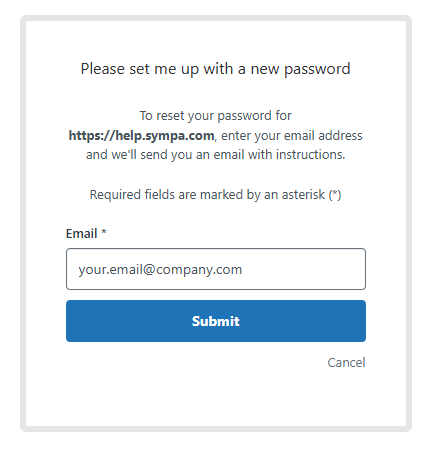
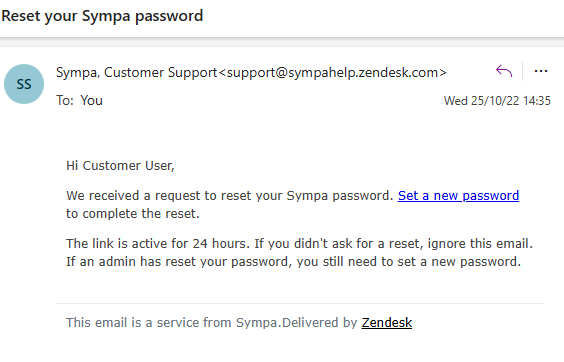
4) You’ll receive an email titled “Reset your Sympa password”. Follow the link in that email to set your new password.
-
If you don’t see the email right away, please check your spam, junk, or promotions folders.
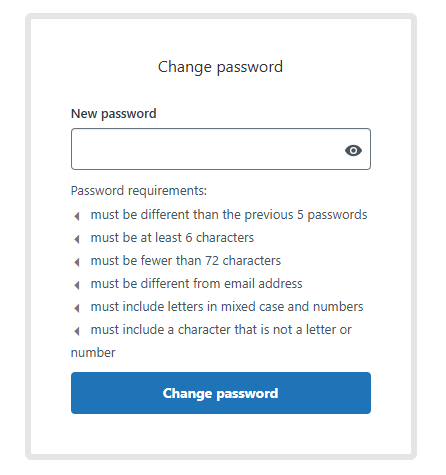
5) Once your click the “Set a new password” -link, you’ll see this view to define your new password according to the requirements.
6) After setting your password, log in to the portal and you’ll see the new Help Centre and Support overview.
